

Contact Form| For Clients & Professional Partnerships Only
This form is exclusively for prospective clients, corporate wellness partners, retreat hosts, and collaboration inquiries. If you’re seeking support, coaching, healing, or a professional partnership, please complete the form below.
Book an Appointment or Call me while I am Live
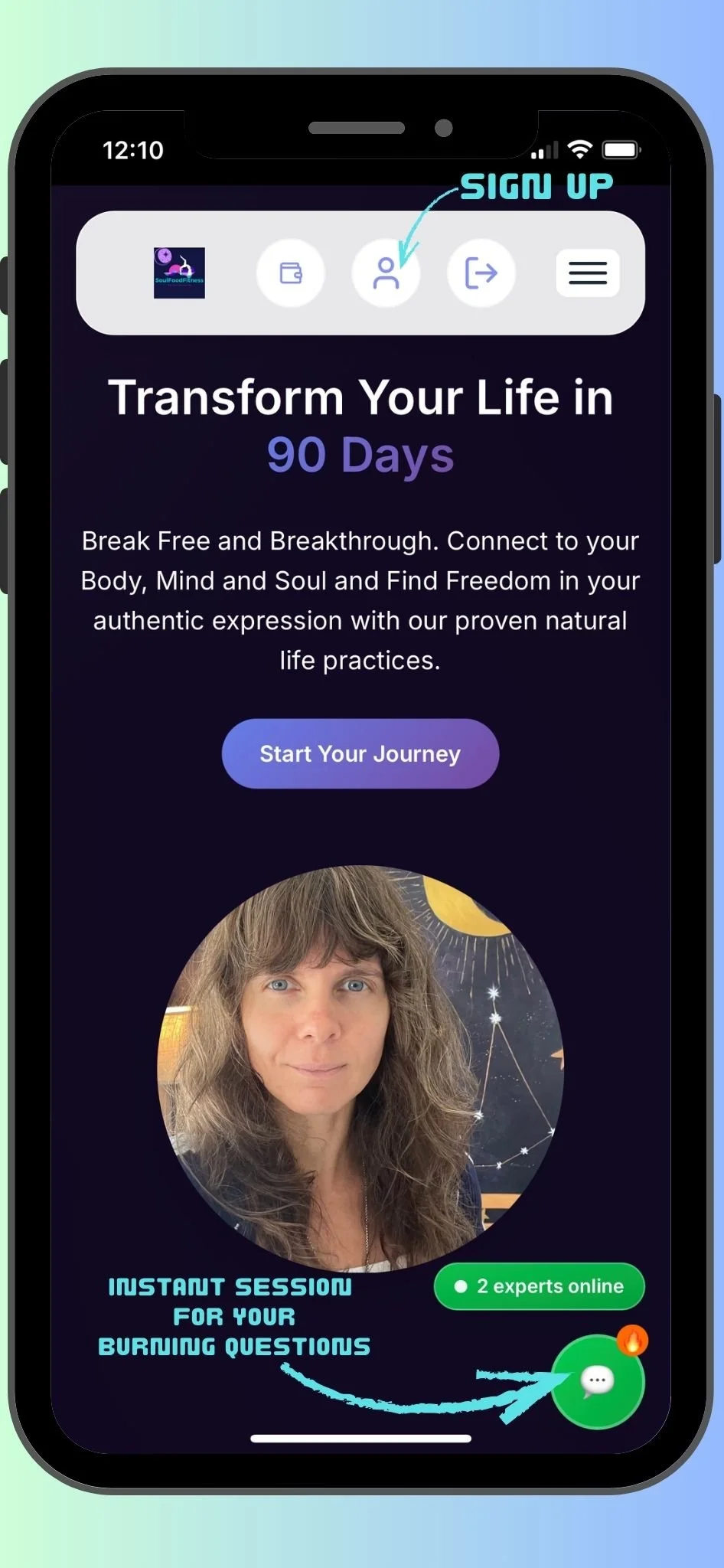
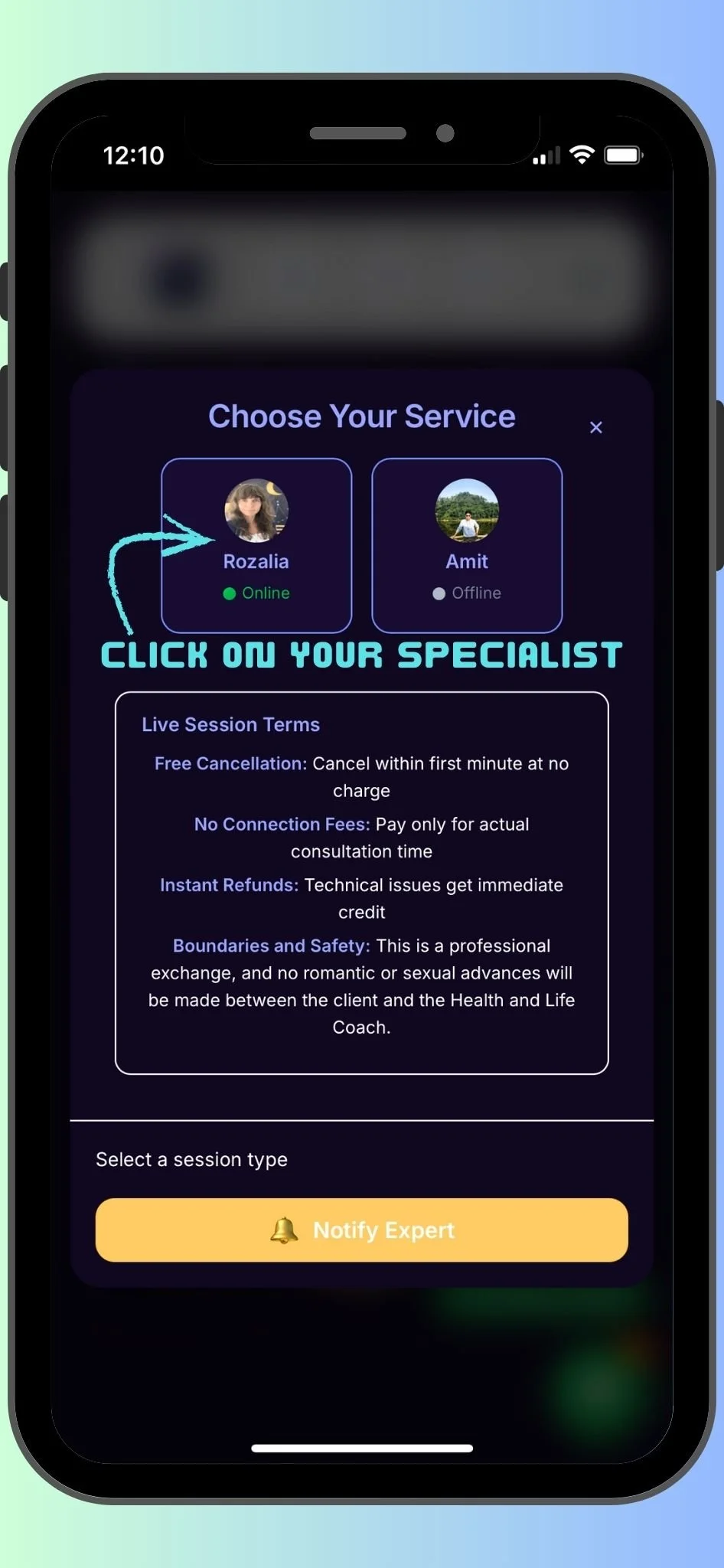
Do you have an Urgent Question or Situation that needs to be addressed ASAP? No problem! If the LIVE NOW button shines Green, choose to speak with me Live, Chat, Audio or Video. You will be charged Per Minute and can end your Live Session anytime!
Suppose you would instead Book an Appointment for a Set Day and Time! Scroll Down and Choose first the desired Session, a form of communication, and the length of the Session, and you will then be prompted to choose a date and time when we will work together to resolve any issue concerning health, body, mind and soul. 😊
I look forward to connecting with you to guide and support your life's journey.
Step 1: Choose your Desired Session, and Click BOOK NOW
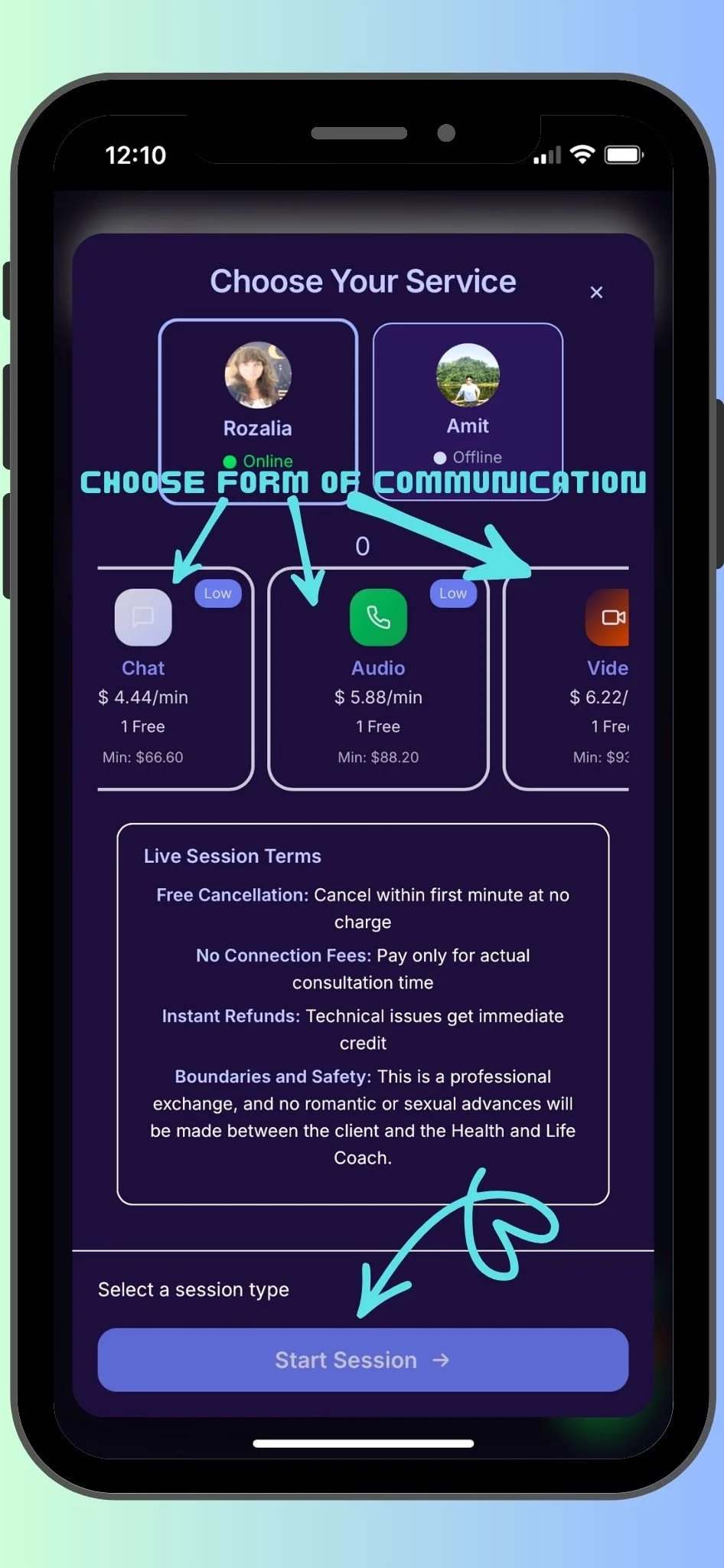
Step 2: Select your Session Type, and Select Session Length of Time, Then Confirm
Step 3: After Selected Service, a Calendar will Pop up on the right side. Choose Booking Date Available, Available Time Slot, and Reason for Booking. Finally, Confirm Booking to be prompted to the Stripe Payment system.
You will be required to pay for your session beforehand. Your card will be charged when I accept and confirm the session! Do not Worry! It is a safe and secure system!
Once I accept your Booking, you will receive an email confirmation with the date and time of your Booking.
Please note that you will be prompted to sign in with the email you used in your Client account 😊